Windows 10 How To Reinstall
The Way To Reinstall Home Windows 10 And Hold Your Files Tech Guide
Beginning windows 10 how to reinstall with the windows 10 may additionally 2019 replace (model 1903), reinstalling home windows 10 the usage of set up media even as selecting to ‘maintain not anything’ (a easy deploy) will routinely allow reserved garage if the partition you reinstall windows to is 20gb or larger. reserved storage units apart disk space to be utilized by updates, apps, transient files, and machine caches, for that reason improving the day. A clean deploy of windows is the right way to head while all other software program troubleshooting you have tried has been unsuccessful and also you want to put in or reinstall a "smooth" replica of home windows lower back to your computer. A smooth install of windows is the proper way to move while all different software troubleshooting you have tried has been unsuccessful and you need to put in or reinstall a "clean" reproduction of home windows returned to your pc. About windows 10 reinstall. home windows 10 reinstallation, additionally referred to as a windows 10 in-place upgrade or windows 10 restore installation, can be used to reload windows 10 device files, registry keys, and configuration to a known working kingdom with out the deletion or removal of user files, settings, and software program. reinstalling windows 10 isn't similar to formatting and reinstalling home windows or a clean.
I had windows 8 preinstalled in my lenovo computer. based totally at the upgrade recommendation, i upgraded to windows 10. my laptop may be very slow (16gig ram & i7). i want to layout and reinstall sparkling windows 10. whilst i tried to go into the windows eight key within the again of my computer in the home windows website to get a copy of home windows 10, it become rejected as invalid key. Restoration alternatives in windows 10. content furnished with the aid of microsoft. applies to: windows 10. use installation media to reinstall home windows 10. use set up media to repair your pc. use a restoration force to restore or recover your pc. pass lower back to your preceding model of home windows. How to reinstall home windows 10 every so often the problems are too large for recuperation, and you need to perform a complete wipe to remove corrupted records or possibly to prepare a laptop you wish to promote.
In case you don't need to reinstall your non-public software, remember solving your gadget via reinstalling home windows 10 the usage of set up media (see below). cross lower back to the preceding version of windows 10. reverting to a preceding, higher acting model of home windows 10 windows 10 how to reinstall may be an choice, but best if you've acquired a windows 10 replace inside the preceding 10 days. The proper manner to reinstall a software program software is to completely uninstall it after which to reinstall it from the most up to date set up source you can locate. uninstalling after which reinstalling a application this way is honestly pretty easy however the specific technique differs a piece relying on the windows working gadget you show up to be using. by means of mistakenly my pc tough pressure got formatted how can reinstall windows c power formatted while installing home windows 10 c force formatted can a bitlocker locked power be formatted can formatted documents be copied to an external disk or a usb without you
A Way To Reinstall Reset Windows 10 The Easy Manner
An internet connection to down load the device and the windows 10 picture. net service issuer charges may apply. sufficient records garage to be had at the laptop you're clean putting in. be aware that the down load and picture is over 3gb. check these items at the pc in which you need to smooth deploy home windows 10:. Carry out a reset from home windows settings. reinstall via rebooting with set up media like a dvd or bootable usb drive. reinstall from internal of home windows with installation media. reset this pc for a smooth install. this should be your first alternative whilst trying to completely wipe your computer and re-set up windows 10. How to re-check in microsoft save app in windows 10 the microsoft save app in windows 10 gives various apps, video games, tune, films & tv, and books that users can browse thru, buy, or get totally free to down load and install for their. Home windows shop also known as microsoft save makes it clean to install, manage, and uninstall apps with just a unmarried click in home windows 10. maximum of all, the home windows keep app manages all the updates within the history so you do not must manually update the packages one at a time or need to address the update notifications as soon as you open your preferred app.
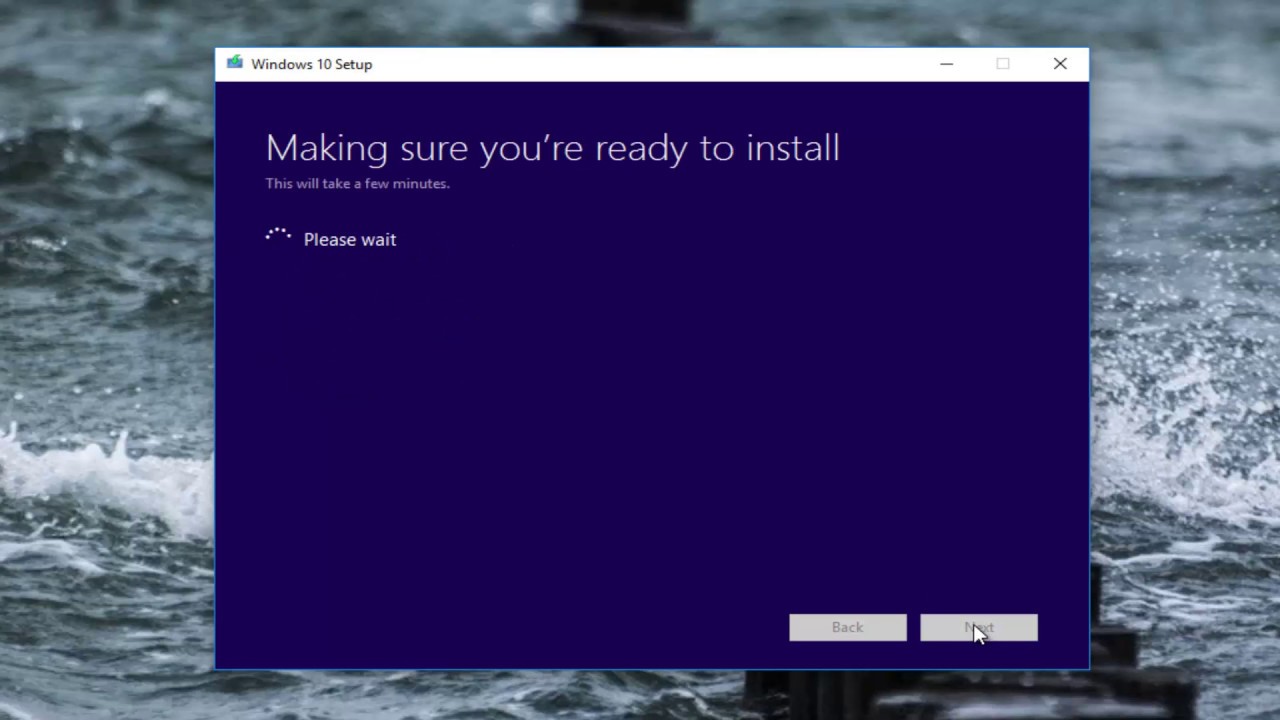
Reinstall windows10 on a non-working pc in case you can not boot into home windows 10 and so can't follow the steps above then strive the subsequent. first, activate your pc and search for any messages which. The windows 10 improve system drags vintage documents, settings, and applications out of your preceding home windows machine to your new one. microsoft permits you to get an entirely clean machine via acting a clean installation. that is particularly beneficial in case you’ve bought a new home windows 10 computer and it consists of producer-established bloatware you don’t want.
The Way To Smooth Install Home Windows Delete Reinstall
The way to smooth install home windows (delete & reinstall).

Talk: how to reinstall default apps in home windows 10 check in to remark. be respectful, hold it civil and live on topic. we delete feedback that violate our coverage, which we inspire you to read. 10, eight, 7, xp and older working structures the way to reinstall home windows 10 the way to do a smooth installation of home windows 10 how A way to reinstall home windows. this wikihow teaches you how to reinstall windows 10 windows 10 how to reinstall from the settings menu, from a restoration force, or by using using installation media. click the begin menu. it's usually at the bottom-left corner of the display screen. Restoration options in home windows 10. content material supplied through microsoft. applies to: windows10. use installation media to reinstallwindows10. use installation media to restore your laptop. use a recovery pressure to restore or get better your pc. cross returned to your previous model of home windows.
Talk: the way to reinstall default apps in home windows 10 register to remark. be respectful, maintain it civil and live on topic. we delete remarks that violate our policy, which we encourage you to examine. A smooth set up of home windows is the right manner to move whilst all other software troubleshooting you have attempted has been unsuccessful and windows 10 how to reinstall you want to install or reinstall a "easy" copy of windows returned in your pc.
Starting with the windows 10 may 2019 replace (version 1903), reinstalling windows 10 using set up media even as selecting to ‘preserve nothing’ (a easy set up) will automatically enable reserved garage if the partition you reinstall windows to is 20gb or larger. reserved garage units apart disk area to be used by updates, apps, temporary files, and machine caches, thus enhancing the day. The way to reinstall windows 10 sometimes the issues are too great for recuperation, and you need to perform a full wipe to put off corrupted facts or likely to put together a computer you intend to. For any windows 10 model, inclusive of model 2004 (aka the may additionally 2020 replace), right here's the whole lot you want to recognise earlier than you repair, reinstall, or upgrade -along with details about activation and. See more films for how to reinstall home windows 10.
Next, it's time to reinstall home windows 10 without losing information. within the following sections, you will discover ways to reinstall home windows 10 with out cd and how to reinstall windows 10 with usb force. case 1: reinstall home windows 10 with out cd or usb. ① reinstall windows 10 at the same time as preserving files. In which is the choice to reinstall home windows 10? assuming your laptop can boot into home windows 10, open the settings app (the cog icon to the bottom-left of the start menu), then click on on replace &. An internet connection to download the device and the home windows 10 image. internet provider provider costs may additionally practice. enough data garage to be had on the computer you're clean installing. be aware that the download and picture is over 3gb. take a look at these things at the pc in which you need to easy set up home windows 10:. A reset on home windows 10 will help you reinstall windows 10 and eliminates all your private files. the drivers, the programs, the personal changes which you made to settings, and the applications established by means of your pc producer could be removed as nicely. however, if your pc came with home windows 10, apps from your pc manufacturer.


Komentar
Posting Komentar