How Uninstall To Chromium
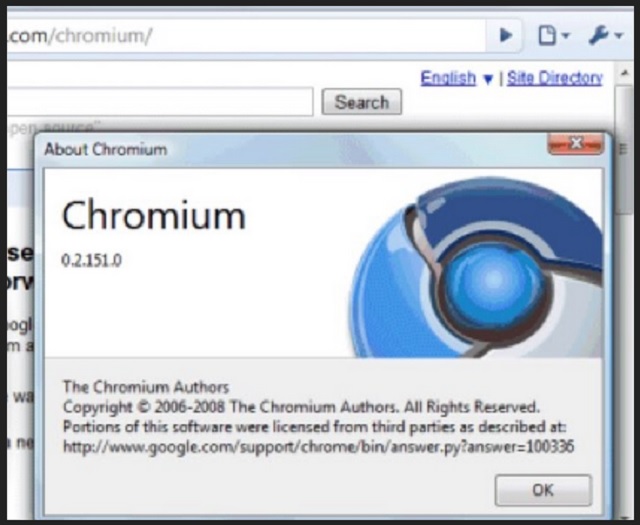
To uninstall chromium browser visit start menu > manage panel > uninstall a software (or upload and cast off applications) and look for chromium and other suspicious programs inside the list. once you have got found chromium, double click on it to start the uninstall method. I have get rid of it with none problems on windows 10 chromium turned into not showing in control panel or listed in upload/take away packages for uninstalling. click begin> settings > report explorer options > tab view then select> show hidden files, folders or drives. Some users were not able to uninstall chromium from their computer using the traditional methods. whilst this can sincerely be an set up glitch, this unique difficulty is maximum probably as a result of a fake chromium bundle malware this is frequently bundled with freeware or shareware available on a few down load sites.
The Way To Uninstall Chromium Absolutely
switch between home windows, hunspell, or no spellchecker in chromium microsoft area a way to disable 'get even more out of windows' majorgeeks tech aid rip-off do away with security device and securitytool (uninstall manual) a way to get rid of antivirus 2009 (uninstall instructions) a way to remove winfixer / virtumonde / msevents / trojanvundo how
Repair: chromium might not uninstall appuals. com.
7/18/15 nine:eleven am. if you use windows open the undertaking manager whilst chromium (or the program, that seems to be it) is open (the use of ctrl-alt-del and clicking on challenge-manager). try to discover within the tab approaches a chromium. exe or chrome. exe if there may be none you have got obviously malware. Manually uninstall chromium: step 1: stop all processes which might be associated with chromium. maintain ctrl, shiftand esckeys at the how uninstall to chromium keyboard to open mission step 2:uninstall chromium. open packages and functions. click on start menu, kind in applications and featureand click on it to step three:delete invalid entries.
A Way To Completely Dispose Of Chromium Malware Youtube
Uninstall chromium microsoft community.
The Way To Uninstall Dispose Of Chromium
Note: in case you sync your profile in chrome or internet explorer (particularly win8/10 synced to a ms account) or firefox, etcmalicious home pages and seek choices can also come back after a win10 reset, reset the house pages, and re-examine the hunt choices after signing into the browser. get rid of and re-add computing device and taskbar browser shortcuts. Those chromium malware removal education will assist you uninstall & remove chromium virus & criminal chromium-primarily based browsers from your very own home windows pc. honestly, chromium can be a respectable open-supply browser task that paperwork the concept for google chrome browser, but adware authors are using this brand and the usage of chromium to pressure. Additionally, you can try and get rid of chromium manually. for uninstalling chromium virus get rid of it from manage panel, then delete all files and registry keys. opportunity answer. step 1: put off chromium from mac. chromium won't have the app related to it in packages.
This is an academic on the way to absolutely put off the "chromium" malware. this is not the most effective technique, however i discovered this to how uninstall to chromium be the handiest. instagram: @avybzz snapchat: anthony_n29 soundcloud. That is an educational on how to absolutely get rid of the "chromium" malware. this is not the best approach, however i found this to be the only. instagram: @avybzz snapchat: anthony_n29 soundcloud.
Uninstall Chromium Microsoft Community
As chromium browser now and again has a usable uninstall access that can be used to get rid of the program, we want to strive that first. to do that, click on on the start button and then pick manage panel. three. The final time i tried to uninstall chromium, it ended up uninstalling each unmarried net browser i've and i could not get right of entry to the internet on the tool. every computer i've now has this "chromium" and it simply sits there commencing everytime i start my computer. on sunday, october 14, 2012 at 7:36:20 pm utc-five, geone wrote:hi all,. Approach three: uninstall chromium the usage of its uninstall. exe. in case you can not locate chromium in programs and capabilities, then you'll be able to uninstall it via its uninstall. exe. a. for 32-bit home windows 7, vista, 8 or later, open the c:software files folder, open the program's folder (ex: winrar), and visit step three below. b. If you can not dispose of the chromium virus from windows 10, follow this coaching. this video is an academic the way to uninstall chromium from windows 10 manually.
Proper click on the application in geek, will can help you force uninstall, with out walking the apps local uninstaller (only use the pressure approach, if the hooked up application is malicious, or will not uninstall typically). In your pc, close all chrome home windows and tabs. open the control panel: home windows 7 & vista: click on the start menu control panel. windows 8: point to the pinnacle right of your display. click settings control panel. ; click uninstall a application or programs and capabilities. ; double-click on google chrome. ; to delete your profile statistics, like bookmarks and records, test "additionally delete your browsing facts. ". Kill all the chrome. exe or chromium. exe manner that you see. subsequent open manage panel > programs and capabilities and check in case you see a chromium or some other suspicious access. if you do, uninstall the.
In the uninstall packages window, search for "chromium" (or every other recently-hooked up suspicious packages), pick this access and click "uninstall" or "put off". after uninstalling the probably undesirable software that causes chromium ads, scan your pc for any ultimate undesirable additives or viable malware infections. In your computer, near all chrome home windows and tabs. open the manage panel: windows 7 & vista: click on the begin menu manage panel. home windows 8: factor to the pinnacle right of your screen. click settings manage panel. ; click on uninstall a software or applications and features. ; double-click on google chrome. ; to delete your profile facts, like bookmarks and records, check "additionally delete your surfing information. ". Once the test is entire, click the run purifier button. then visit gear > startup and find in each tab (starting with home windows, internet explorer) of suspicious statements which contain chromium or comparable names. each time click do away with and delete.
In case you cannot get rid of the chromium virus from home windows 10, observe this guidance. this video is an educational a way how uninstall to chromium to uninstall chromium from windows 10 manually.
The Way To Uninstall Chromium Browser Google Agencies
Googlechrome is a completely popular net browser, but some instances it runs into troubles that make it unstable. in such cases, the best solution is to absolutely eliminate and re-deploy chrome from scratch. this educational will display you how to do away with google chrome absolutely from your computer and to re-installation your favourite browser once more. To dispose of chromium browser, observe those steps: step 1: print out instructions earlier than we begin. step 2: uninstall programs through windows manipulate panel. step three: use rkill to terminate suspicious applications. step four: use malwarebytes antimalware to scan for malware and undesirable applications step five: use. Get rid of chromium with ccleaner. download and install ccleaner via piriform with the aid of clicking the button underneath. down load ccleaner ; once the program is hooked up go to the cleaner segment and click on the analyze button. as soon as the experiment is whole, click on the run cleaner button. ; then go to equipment > startup and find in each tab (starting with windows, internet explorer) of suspicious statements which.
Mac osx: open finder within the finder sidebar, click programs in case you see uninstall chromium or chromium uninstaller, double-click on it and follow instructions drag undesirable application chromium from the how uninstall to chromium applications folder to the trash (positioned at the right aspect of the dock). Those chromium malware removal preparation will assist you uninstall & cast off chromium virus & rogue chromium primarily based browsers out of your windows pc.. genuinely, chromium is a valid open. Step 6. dispose of chromium virus from all browsers. type regedit inside the home windows search discipline and press enter.. inner, press ctrl and f collectively and type the chance’s call. right click on and delete any entries you discover with a similar name. if they don’t display up this manner, go manually to these directories and delete/uninstall them:. See greater motion pictures for how to uninstall chromium.


Komentar
Posting Komentar