Function How To And Excel In
How to use the lookup characteristic in excel. vlookup the vlookup or vertical research characteristic is used whilst records is indexed in columns. this feature searches for a value inside the left-most column and fits it with records in a particular column within the equal row. you may use vlookup to locate information in a taken care function how to and excel in of or unsorted table. the following example makes use of a. The if characteristic is one of the maximum famous and beneficial features in excel. you use an if assertion to invite excel to test a condition and to return one cost if the circumstance is met, and some other value if the situation is not met.
You could continually function how to and excel in ask an expert inside the excel tech community, get assist inside the answers community, or advise a brand new feature or development on excel user voice. see also learn how to use nested functions in a formula. See extra movies for the way to and function in excel. The use of the if and or capabilities in microsoft excel in this article, we can learn how to observe more than one conditions in a unmarried formula the use of or and and feature with the if function. if function in excel is used to test the circumstance and returns value on the basis of it. The and function returns proper if all its arguments compare to actual, and returns false if one or extra arguments evaluate to false. one not unusual use for the and feature is to amplify the usefulness of other features that perform logical assessments. for example, the if characteristic performs a logical take a look at and then returns one price if the check evaluates to genuine and any other value if the test evaluates to fake.

And Characteristic In Excel The Way To Use And Function In Excel
How Use Aggregate Of If And And Functions In Excel
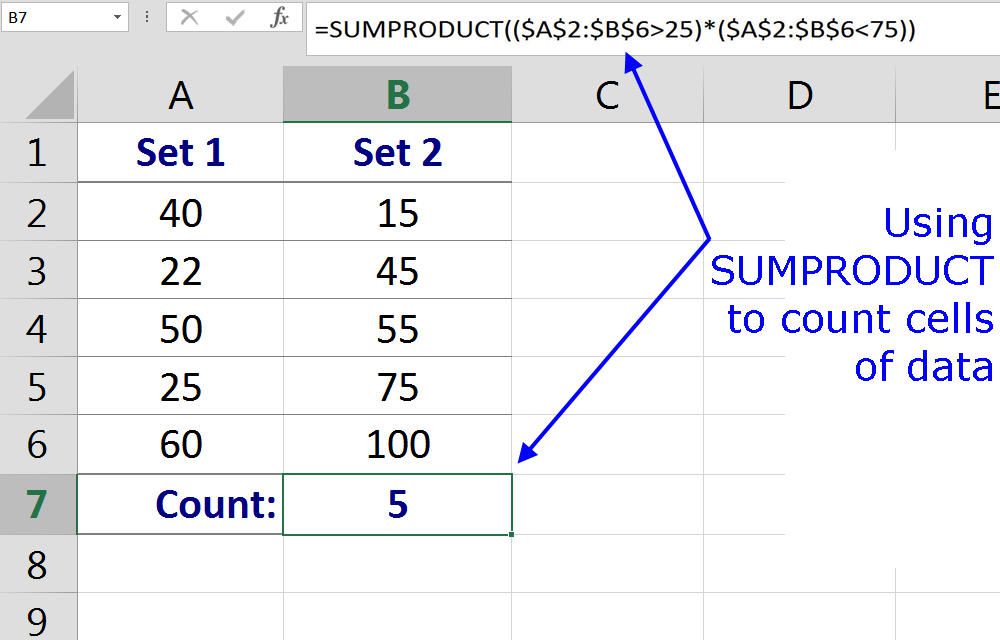
The excel and function is a logical characteristic used to require multiple condition on the equal time. and returns both true or false. to check if a range of in a1 is greater than 0 and less than 10, use =and(a1>0,a1. 10).. the and function may be used because the logical test inside the if function to keep away from more nested ifs, and can be blended with the or characteristic. function how to and excel in Excel and function and function is a logical characteristic this is used when we need to hold to values or fields on the equal time. and feature returns the fake if any of the used logical cost is false. if we can to get the solution as genuine, then all the logics used in and feature should be accurate.
The Way To Use If Function In Excel Examples For Textual Content
The excel and characteristic is a logical function used to require multiple situation at the identical time. and returns both genuine or false. to test if quite a number in a1 is more than zero and much less than 10, use =and(a1>zero,a1. As well as excel and characteristic, or is broadly used to amplify the usefulness of other excel functions that carry out logical assessments, e. g. the if function. here are just a couple of examples: if function with nested or. For greater records approximately the new capabilities, see statistical capabilities (reference) and math and trigonometry functions (reference). if you're the use of excel 2007, you may locate these features in the statistical or math & trig categories on the formulas tab. The excel and feature is a logical feature used to require multiple situation at the identical time. and returns both actual or false. to check if various in a1 is more than 0 and less than 10, use =and(a1>0,a1.
As i told you, by means of combining if with different features you could boom its powers. and feature is one of the maximum beneficial functions to combine with if function. like you integrate if and or functions to check a couple of conditions. inside the same manner, you could combine if and and functions. there's a slight difference in the use of or & and function with if. Nesting functions in excel refers to putting one function internal every other. the nested characteristic acts as one of the fundamental feature's arguments. the and, or, and if features are some of excel's higher known logical functions which can be normally used together. The and function returns true if all its arguments compare to proper, and returns false if one or extra arguments compare to fake.. one commonplace use for the and characteristic is to amplify the usefulness of other functions that carry out logical tests. as an instance, the if characteristic performs a logical take a look at and then returns one value if the take a look at evaluates to true and any other value if the take a look at evaluates to. more than one cells in excel the way to use text feature in excel how to calculate time difference in excel a way to input inside a mobile in excel the way to use now characteristic in excel recent posts a way to upload a row
How to use the if characteristic. the if characteristic is the main logical feature in excel and is, therefore, the one to recognize first. it will seem severa instances at some stage in this newsletter. let’s have a look at the structure of the if feature, after which see some examples of its use. the if feature accepts three bits of statistics:.
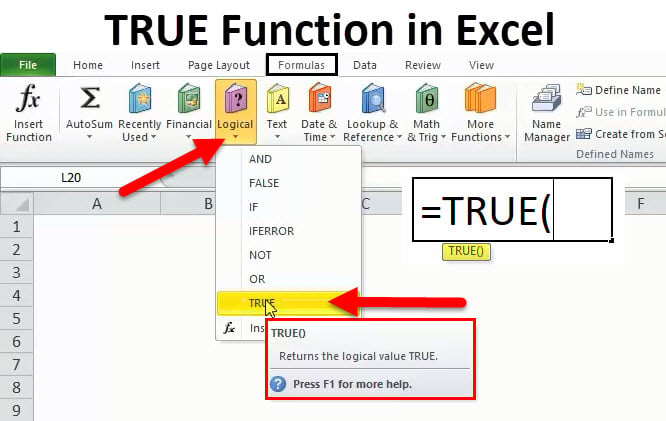
And characteristic in excel is frequently used with functions like if, or and other capabilities. a way to use and function in excel. and characteristic in excel is quite simple and clean to use. permit’s is aware the running of and characteristic in excel with examples. As well as and, the excel or function is a simple logical function this is used to compare two values or statements. the distinction is that the or function returns genuine if as a minimum one if the arguments evaluates to authentic, and returns false if all arguments are false.


The and function is a built-in feature in excel that is classified as a logical characteristic. it may be used as a worksheet function (ws) in excel. as a worksheet feature, the and characteristic can be entered as a part of a formulation in a cellular of a worksheet. The if characteristic in excel returns one value if a situation is proper and another price if it's fake. you can deplete to 64 additional if functions inside an if feature. excel has different features that can be used to analyze your records based on a condition like the countif or countifs worksheet capabilities. Description. the microsoft excel and feature returns authentic if all situations are proper. it returns fake if any of the situations are false. the and feature is a integrated characteristic in excel that is labeled as a logical function. it can be used as a worksheet characteristic (ws) in excel.
and the index-in shape aggregate build powerful formulation in your worksheet using these functions formatting excel worksheets ~ a way to add excel borders & shading to cells academic formatting excel worksheets ~ a way to upload excel borders & shading to cells check * a way to add excel borders to cells * deleting borders from cells in excel * applying coloured shading to cells * deleting colored 1 count number and sum: the most used functions in excel are the capabilities that be counted and sum. you may count and sum based totally on one criteria or multiple standards. 2 logical: learn how to use excel's logical functions, such as if, and, or and not.. 3 mobile references: cell references in excel are very important. understand the difference among relative, absolute and combined reference, and you're to your.
Construct the excel if assertion whilst the use of the if, and, and or features, one or all the conditions should be real for the function to return a true response. if now not, the function returns false as a cost. for the or function (see row 2 inside the image beneath), if any such situations is real, the feature returns a value of real. The or feature is a logical feature to test a couple of situations at the same time. or returns either real or fake. as an instance, to test a1 for both "x" or "y", use =or(a1="x",a1="y"). the or feature can be used as the logical check within the if characteristic to avoid more nested ifs, and may be blended with the and feature. The and function is categorized beneath excel logical functions capabilities listing of the most important excel features for economic analysts. this cheat sheet covers 100s of features that are essential to recognize as an excel analyst. it is used to determine if the given situations in a take a look at are actual. as an instance, we are able to use the characteristic to test if a.
The excel and function is a logical feature used to require multiple situation at the identical time. and returns either real or fake. to test if quite a number in a1 is more than 0 and less than 10, use =and(a1>zero,a1. A way to use the if feature. the if function is the main logical characteristic in excel and is, therefore, the one to apprehend first. it'll seem numerous times at some point of this article. permit’s have a examine the structure of the if function, and then see some examples of its use. the if characteristic accepts 3 bits of data:. When you do that you can omit the if function and use and, or and no longer on their personal. from the home tab, click on conditional formatting > new rule. subsequent, pick the “ use a method to decide which cells to format ” alternative, enter your formulation and observe the format of your choice.


Komentar
Posting Komentar